Friday, February 26, 2016

Share Internet Connection with Your Phone

Share Internet Connection with Your Phone

There are three steps involved in creating an AdHoc network: creating your network base, enabling LAN sharing, and connecting your devices to your network. 

Creating an AdHoc Network

Creating an AdHoc network (WLAN) will allow you to exchange files, share printers, or share internet access. 

The first step in creating your AdHoc network is to go to your Network and Sharing Center (Start > Network > Network and Sharing Center). Click on the Manage Wireless Networks button located in the left bar. Then click on Add

In the window that opens, select Create Network AdHoc, followed by Next. Choose a Network Name. This will be the SSID of the network you are connecting to your device. 

In the Security Type select No authentication (Open). Finally, select Save this network, and click on Next

Let the utility work. If it asks you to share your connection, you should accept the request and proceed directly to Step 3. Otherwise, proceed to Step 2. 

LAN Sharing


Now, we are going to instruct Windows to allow LAN sharing. This will allow your computer to access the connection from your device. 

Go back to the Network and Sharing Center(Start> Network> Network and Sharing Center). On the left-hand side, click on Change Settings Map

Right-click on Local Area Connection and select Properties. Then, go to the Sharingtab. 

Check Allow other network users to connect through this computer's Internet connection, followed by OK

Connecting to an AdHoc Network

It is now time to ask the PC to connect to the AdHoc network. 

Head to the Network and Sharing Centerone last time, and click on Connect or Disconnect

In the window that opens, click on the network name you created, and click Connect

Go into the application settings of your iPhone, iPod, or iPad and tap on WiFi. Make sure that your WiFi is enabled, and tap on the network name that you chose in step 1. 

Once connected, test your internet connection by simply opening an internet browser application.
Source-http://ccm.net/faq/11659-transfer-pc-internet-connection-to-iphone?

Saturday, December 19, 2015

Boxy Brings 'Inbox by Gmail' to Your Mac

Boxy is the first unofficial client to bring 'Inbox by Gmail' to your Mac.

Boxy gives you all the powerful features of Inbox by Gmail, with the convenience of a Mac email client. It's feature-rich, fast and reliable, with a sleek interface that fits OS X and looks familiar to Inbox users.

Boxy Brings 'Inbox by Gmail' to Your Mac

Boxy works with any Gmail account or Google Apps for Work account. If you haven't activated Inbox by Gmail already, you can do so via their mobile app.

Features:
* Compact and responsive design
* Multiple accounts support
* Works with any Gmail or Google Apps for Work account (after free activation via the official mobile app)
* Native OS X notifications
* Dock icon badge
* Menubar icon, colored blue to indicate new unread emails
* OS X shortcuts support, like Cmd+N to compose new messages or Cmd+F to search
* VIM shortcuts support (hit Shit+? to see the list)
* Drafts sync, start writing on Boxy e continue on mobile or web
* Sleek Dark theme (enable it in Window → Dark Theme)
* Reader Mode, for an awesome reading experience (engage it with Cmd+Shift+R)
* Hide attachments preview to make your Inbox cleaner
* Bundles, Snooze, Reminders and all the other Inbox great features
* Secure, lightweight, Retina ready and built for El Capitan
* Regular free updates

Note: Boxy doesn't have offline support at this time.

You can purchase Boxy from the App Store for $4.99.

Read More


Boxy Brings 'Inbox by Gmail' to Your Mac

Boxy Brings 'Inbox by Gmail' to Your Mac

From iclarified 

Sunday, September 20, 2015

Conflicted Developer Pulls 'Peace' iOS 9 Ad-Blocking App

source from


First Article
Marco Arment just isn't very happy with his app's indiscriminate blocking of both bad and good advertising.

AT&T says rogue employees secretly unlocked hundreds of thousands of phones

AT&T logo on Boston store
09.18.2015 12:05 PM
AT&T said three of its employees secretly installed software on its network so a cellphone unlocking service could surreptitiously funnel hundreds of thousands of requests to its servers to remove software locks on phones.
apple cupertino tim cook
09.18.2015 1:35 PM
According to an internal company message, Apple has joined Google in donating money to help Europe provide food, shelter and medical care to its growing number of refugees.
 

MACWORLD SUPERGUIDES

OS X ON MACWORLD


prune wide 01
09.18.2015 2:45 PM
While you may hesitate to download a game that is seemingly a shallow exercise in pruning tree branches, Prune will actually be the most refreshing puzzle game you'll play all month.
apple
09.19.2015 3:00 AM
Apple headlines for the week ending September', 2015.
00 intro
09.19.2015 6:00 AM
We've got you covered. This week's roundup of new iPad cases features a revamped version of Apple's Smart Cover, a functional all-in-one bag from WaterField Designs, and more.
Macalope
09.19.2015 7:00 AM
Apple allows ad blockers and destroys the web. Or was it already destroyed?
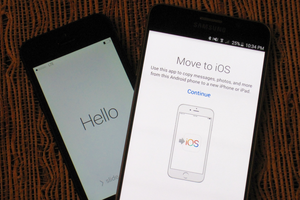
move to ios app
09.19.2015 9:17 AM
Apple's first Android app makes it relatively painless to transfer you data to an iPhone or iPad.

Friday, September 18, 2015

How iOS 9 fixes HealthKit's woman problem, Find out which iOS app is requesting your Apple ID password

Source From-macworld.com
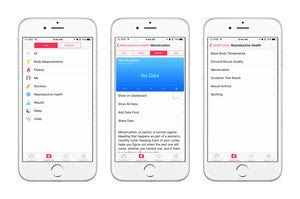
healthkit ios9 women 3up primary
09.17.2015 3:20 PM
Apple forgot that reproductive health is hugely important to women when it released HealthKit. That's no longer the case.
apple id
09.17.2015 1:00 PM
A reader let a friend manually install an app on his iPhone. Years later, it started asking for a passwordbut which app.


MACWORLD SUPERGUIDES

OS X ON MACWORLD

 
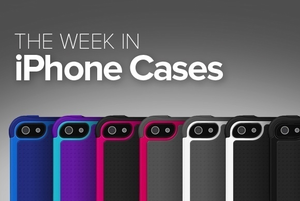
00 intro
09.17.2015 1:30 PM
This week's roundup of new iPhone cases shows off ultra-sturdy protection from Ballistic, luxurious options from CalypsoCrystal, a screen protector from PureGear, great new additions from Pad & Quill and WaterField Designs, and awesome picks from Moshi, Miniot, Apple, and Bandolier.
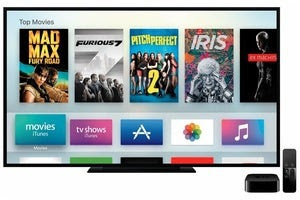
appletv
09.18.2015 3:00 AM
The mere presence of Siri voice search in the new Apple TV is unremarkable. It's the execution that matters.
ios 9 apple news ipad
09.18.2015 3:30 AM
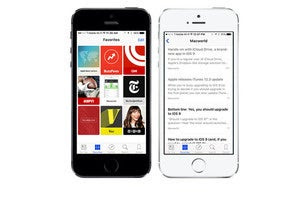
Looking for something to read? Apple is now delivering your daily news.
laptop user
09.18.2015 4:00 AM
You have questions about iTunes 12. Kirk McElhearn has answers.
organizer ios icon
09.18.2015 5:00 AM
Organizer helps keep your iCloud Photo Library tidy by enabling date, time, and location data adjustments not possible with Apple Photos on iOS.
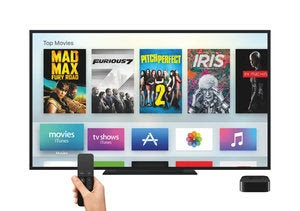
new apple tv
09.18.2015 7:32 AM
Now that Apple has invited developers to the party, expect to see more frequent updates of tvOS and the Apple TV itself.
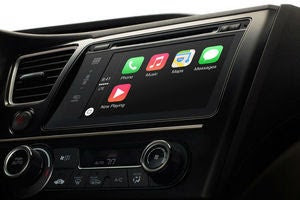
carplay apple 100248503 large
09.18.2015 9:05 AM
What if Apple's self-driving car is much further along than anyone realizes?
ipad mini 4 primary
09.18.2015 9:17 AM
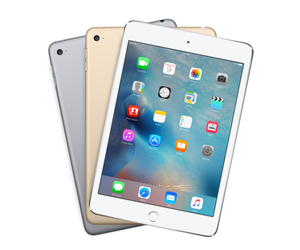
Apple's tiniest tablet almost matches the iPad Air 2 spec for spec.
peace primary
09.18.2015 10:40 AM
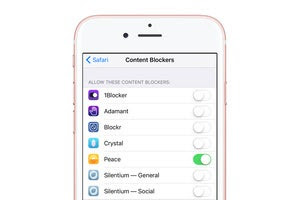
The $3 app used Ghostery's database to allow users to block ads in Mobile Safari, but Arment didn't "feel good" about it after the fact. Here's how to get a refund.
iphone news
09.17.2015 12:18 PM
Access our articles through Apple's new app.