Sunday, April 30, 2017

How to attach photos to emails in iOS 10

How to attach photos to emails in iOS 10

In today’s world of Facebook, Snapchat, and iMessage, there are no shortage of ways to share photos with friends or family members. But sometimes, email is still the easiest, more straightforward approach. After all, email is ubiquitous in a way that other services—even widely used ones—aren’t: If you’re online, you almost assuredly have an email address. With that in mind, here’s how to attach photos to your emails in iOS.

From the Photos app


photo selected
Select your photos then tap the Sharebutton to get to the photo emailing feature.

Go into an album, tap the Select button in the upper right corner, then tap the photos you want to email. Tap the Share button—the box with an arrow pointing upward in the lower left corner—tap Mail, then compose your email as you normally would. Once you’re done, tap Send then select which size images you’d like to send. Once you do that, your email and photos will get sent on their way.

From the Mail app

Of course, if you’re already composing an email, you probably won’t want to back out to a different app and start over. From the New Message screen, tap and hold your finger (but not too hard—this isn’t a 3D Touch function) anywhere in the message’s body until a menu pops up, and look for the “Insert Photo or Video” option. You may need to tap the arrow button to expose the option. A photo picker will come up: Tap a photo, then tapChoose. This method only allows you to attach one photo at a time, so you’ll have to repeat the process to attach multiple photos.


insert photo mail
Attaching a photo to an email via iOS’s Mail app requires using a fiddly pop-up menu.

Once you’re done, hit Send and select an image size.
And that’s all there is to it. Happy emailing.

Thursday, April 27, 2017

Apple Music in iOS 11 could put video front and center


Apple Music is a work in progress, and with iOS 11 Apple plans to revamp its $9.99 per month streaming service once again—this time to make video a more prominent feature.
According to Bloomberg, the redesign reflects Apple’s big bets on video. Apple’s video plans span from the previously announced (and since delayed) “Carpool Karaoke” to a potential sequel to the classic R. Kelly hip hopera “Trapped in the Closet” to feature-length documentaries—Apple just won exclusive rights to Sean “Diddy” Combs’ documentary Can’t Stop, Won’t Stop: A Bad Boy Story, produced by LiveNation. A show about Dr. Dre has been discussed. Producer Brian Grazer and director J.J. Abrams are brainstorming ideas. About 10 new original series are scheduled to debut on Apple Music this year.
Apple has deep pockets and an A-list network to tap into. But so do other companies, like Netflix and Amazon. Where Apple can differentiate itself is its musical roots, which date back to the launch of iTunes 14 years ago, and the vision of longtime record executive Jimmy Iovine, who joined Apple when the company acquired his Beats headphones and streaming service in 2014. Iovine now leads Apple Music and has a staff of 300 working on every aspect of the business, which now extends to video.
apple music 2017 listsApple
Spotify has also ventured into original video content with about a dozen TV series, but none have taken off. Video isn’t easy to discover or watch in the Spotify app, though the company launched its video feature two years agowith great fanfare (and a little help from “Broad City” stars Ilana Glazer and Abbi Jacobson).
According to Bloomberg, Iovine originally pitched Beats to Netflix as a potential acquisition, but the streaming giant reportedly told Iovine it wasn’t ready to move into music. If Apple nails video, making its exclusive content of the same caliber as Amazon and Netflix while also making it easy to find and watch, it could create the first successful music and video streaming service.
But we’re still waiting to see if “Carpool Karaoke” is any good. The James Corden-hosted show was reportedly delayed from its April launch date because the series isn’t finished yet. There’s no official word yet on when that show and the will.i.am. reality series “Planet of the Apps” will premiere.

Sunday, April 2, 2017

iOS Apps in this week

Callblock
Callblock (free, iPhone only) lets you block calls from telemarketers. A $2-a-month subscription—$20 a year—lets you block 3 million telemarketers from more than 100 countries; this week’s update gives the app a new look and feel, improved VoiceOver support, and has fixed its compatibility with Adblock Fast.

Mammals by Tinybop
Back on land, Mammals by Tinybop ($3, iPhone and iPad) teaches children science literacy by letting them take a close look at the lives and bodies of tigers, bats, kangaroos, and more. This is in-depth stuff: Users can study the skeletal, muscular, nervous, circulatory, respiratory, urogenital, and digestive systems of each animal—and that’s just the beginning of the informational content in this app aimed at anatomical explorers.
iBiome-Ocean
iBiome-Ocean ($3, iPad only) is a sequel to the iBiome-Wetland, which was a much-loved educational game. The new offering lets users explore hand-drawn ocean habitats with Professor Bio as their guide. It’s aimed at kids ages 7 through 12, and they can build their own ecosystems and study humanity’s impact on the oceans.

Thursday, October 20, 2016

Apple to announce new Macs at a special event October 27


Journalists will gather in Cupertino next Thursday for the "Hello again" special event, where Apple is expected to announce a redesigned MacBook Pro.


It’s official—the wait for new Macs shouldn’t be much longer. Apple just sent out invites to journalists to a product unveiling at Apple’s headquarters in Cupertino. The event will take place next Thursday, October 27, at 10 a.m. Pacific.
Naturally, the invitation doesn’t specify what Apple will announce—the tagline is simply “Hello again.” Smart money is on updated Macs, since nothing but the 12-inch MacBook has been updated this year. Rumors have been swirling that Apple is prepping an update to the MacBook Pro line, which will include a set of touch-sensitive OLED keys to replace the function row along the top of the keyboard, allowing those keys to change based on the application you’re using.
The other rumor is new ports: Apple may be ditching standard USB-A ports for USB-C. This would match Apple’s approach for the MacBook, which has a single USB-C port for charging and connectivity—although we hope the MacBook Pro would have three or four, and it should get Thunderbolt 3 (which uses the same port type) too. The lack of USB-C peripherals and docks was a problem when the MacBook first launched in 2015, but since then the ecosystem has matured, and finding adapters and docks is easier. (And it better have a headphone jack!)
macbookpro ports left
The MacBook Pro design hasn’t changed in years. 
As with any redesign, we expect Apple to go thinner and lighter. The trackpad will probably get bigger, and we wouldn’t be surprised if the new MacBook Pro got the lower-travel butterfly-mechanism keyboard found on the MacBook line. Apple has never included Touch ID in a Mac before, but now that Sierra supports Apple Pay on the Web, adding a Touch ID button could let you authorize payments without needing an iPhone or Apple Watch handy—as well as let you log in more securely, of course.
What about the rest of the Mac lineup, though? According to the very handyMacRumors Buyers Guide, all of Apple’s computers could use a refresh. The MacBook Air lineup was last refreshed in March of 2015, although Apple did bump the base-model MacBook Air to 8GB of RAM this past April. The Mac mini got its most recent upgrade, to a Haswell processor, way back in October 2014. The long-neglected Mac Pro (last updated December 2013) might be headed for the history books, but Apple’s other desktop option, the iMac, has gone a full year without an update too. Apple has been rumored to be working on a 5K display with its own GPU to replace the discontinued Thunderbolt Display, as well as new iMacs, so if those are ready, perhaps we’ll see them on stage next week.
We’ll be in Cupertino next Thursday to bring you the news as it happens, and Apple also plans to live stream it. Have you been holding out for a new Mac? Let us know what you’re hoping to see in the comments.

How switching to Macs is paying off for IBM

IBM employees prefer Macs, which is actually saving IBM about $543 per computer.

imac stock

Last year, IBM made a bold decision. The company let its employees choose between a Windows PC or a Mac for their own work machines. IBM staffers prefer Macs, so the company bought up 30,000 of them. This year, IBM has 90,000 Macs in use. But Macs are expensive, as we all know, so IBM must be spending a fortune on making the switch…right? Apparently not.
IBM said Wednesday at the Jamf Nation User Conference that it’s actually saving money on each Mac: $273 to $543 per Mac over four years, compared to a Windows PC over the same time period. And no, that’s not because Microsoft is charging more. Fletcher Previn, IBM’s vice president of workplace as a service (yeah, that’s a real title), said Microsoft is giving IBM its best pricing ever. But Macs are still cheaper over their lifetime, and using them results in fewer service calls.
This is just one company’s data, but IBM expects to have more than 100,000 Macs in use by the end of this year, so that’s a pretty significant sample size. The company is rolling out 1,300 Macs a week, and only five IT administrators are supporting all of those computers.
This shift is huge for Apple, which has struggled to find footing in enterprise computing. In 2014, the company inked a deal with IBM to develop mobile-first enterprise apps for a variety of industries, a move that has been incredibly successful. The alliance may seem like a strange one to those who remember the early PC era when IBM and Apple were rivals, but IBM doesn’t make Windows PCs anymore and has bolstered Apple’s enterprise presence. Clearly that move is paying off for IBM, too.

Wednesday, October 19, 2016

Reports: Apple has big plans to turn the MacBook keyboard into a display


Imagine an endlessly customizable keyboard that changes its keys based on the app or language you're using.

eink display
Credit: MartinPrague


Apple is reportedly planning to swap out the MacBook Pro’s row of function keys with a touchscreen OLED strip to make the keyboard more contextually relevant. This change heralds a much bigger one: a Kindle-esque e-ink display to replace the QWERTY keyboard.
That means the entire bottom half of the MacBook would be responsive to the app or language you’re using and change according to your needs. This would be incredibly useful for software developers, gamers, and people who communicate in multiple languages—basically anyone who needs special keys, including emoji lovers. According to the Wall Street Journal, the new keyboard is coming in 2018.
The technology Apple plans to use comes from Australian startup Sonder Design, which is selling its own e-ink keyboard later this year for $200. Sonder is backed by Foxconn, a major Apple supplier, which would make it easier for Apple to quickly produce the new MacBooks with Sonder’s keyboards baked in. Rumors began swirling last week that Apple might actually buy Sonder, but it’s unclear if that will happen.
The new keyboard will be standard across all MacBooks, the WSJ reports, not a specialized upgrade. The feature is still a ways off, but we’ll get a sense of how it might work if the OLED screen expected to replace the function keys actually comes into being. We could find out as soon as next week—Apple is reportedly unveiling new MacBooks on Oct. 27.
Source

Friday, February 26, 2016

Share Internet Connection with Your Phone

Share Internet Connection with Your Phone

There are three steps involved in creating an AdHoc network: creating your network base, enabling LAN sharing, and connecting your devices to your network. 

Creating an AdHoc Network

Creating an AdHoc network (WLAN) will allow you to exchange files, share printers, or share internet access. 

The first step in creating your AdHoc network is to go to your Network and Sharing Center (Start > Network > Network and Sharing Center). Click on the Manage Wireless Networks button located in the left bar. Then click on Add

In the window that opens, select Create Network AdHoc, followed by Next. Choose a Network Name. This will be the SSID of the network you are connecting to your device. 

In the Security Type select No authentication (Open). Finally, select Save this network, and click on Next

Let the utility work. If it asks you to share your connection, you should accept the request and proceed directly to Step 3. Otherwise, proceed to Step 2. 

LAN Sharing


Now, we are going to instruct Windows to allow LAN sharing. This will allow your computer to access the connection from your device. 

Go back to the Network and Sharing Center(Start> Network> Network and Sharing Center). On the left-hand side, click on Change Settings Map

Right-click on Local Area Connection and select Properties. Then, go to the Sharingtab. 

Check Allow other network users to connect through this computer's Internet connection, followed by OK

Connecting to an AdHoc Network

It is now time to ask the PC to connect to the AdHoc network. 

Head to the Network and Sharing Centerone last time, and click on Connect or Disconnect

In the window that opens, click on the network name you created, and click Connect

Go into the application settings of your iPhone, iPod, or iPad and tap on WiFi. Make sure that your WiFi is enabled, and tap on the network name that you chose in step 1. 

Once connected, test your internet connection by simply opening an internet browser application.
Source-http://ccm.net/faq/11659-transfer-pc-internet-connection-to-iphone?

Saturday, December 19, 2015

Boxy Brings 'Inbox by Gmail' to Your Mac

Boxy is the first unofficial client to bring 'Inbox by Gmail' to your Mac.

Boxy gives you all the powerful features of Inbox by Gmail, with the convenience of a Mac email client. It's feature-rich, fast and reliable, with a sleek interface that fits OS X and looks familiar to Inbox users.

Boxy Brings 'Inbox by Gmail' to Your Mac

Boxy works with any Gmail account or Google Apps for Work account. If you haven't activated Inbox by Gmail already, you can do so via their mobile app.

Features:
* Compact and responsive design
* Multiple accounts support
* Works with any Gmail or Google Apps for Work account (after free activation via the official mobile app)
* Native OS X notifications
* Dock icon badge
* Menubar icon, colored blue to indicate new unread emails
* OS X shortcuts support, like Cmd+N to compose new messages or Cmd+F to search
* VIM shortcuts support (hit Shit+? to see the list)
* Drafts sync, start writing on Boxy e continue on mobile or web
* Sleek Dark theme (enable it in Window → Dark Theme)
* Reader Mode, for an awesome reading experience (engage it with Cmd+Shift+R)
* Hide attachments preview to make your Inbox cleaner
* Bundles, Snooze, Reminders and all the other Inbox great features
* Secure, lightweight, Retina ready and built for El Capitan
* Regular free updates

Note: Boxy doesn't have offline support at this time.

You can purchase Boxy from the App Store for $4.99.

Read More


Boxy Brings 'Inbox by Gmail' to Your Mac

Boxy Brings 'Inbox by Gmail' to Your Mac

From iclarified 

Sunday, September 20, 2015

Conflicted Developer Pulls 'Peace' iOS 9 Ad-Blocking App

source from


First Article
Marco Arment just isn't very happy with his app's indiscriminate blocking of both bad and good advertising.

AT&T says rogue employees secretly unlocked hundreds of thousands of phones

AT&T logo on Boston store
09.18.2015 12:05 PM
AT&T said three of its employees secretly installed software on its network so a cellphone unlocking service could surreptitiously funnel hundreds of thousands of requests to its servers to remove software locks on phones.
apple cupertino tim cook
09.18.2015 1:35 PM
According to an internal company message, Apple has joined Google in donating money to help Europe provide food, shelter and medical care to its growing number of refugees.
 

MACWORLD SUPERGUIDES

OS X ON MACWORLD


prune wide 01
09.18.2015 2:45 PM
While you may hesitate to download a game that is seemingly a shallow exercise in pruning tree branches, Prune will actually be the most refreshing puzzle game you'll play all month.
apple
09.19.2015 3:00 AM
Apple headlines for the week ending September', 2015.
00 intro
09.19.2015 6:00 AM
We've got you covered. This week's roundup of new iPad cases features a revamped version of Apple's Smart Cover, a functional all-in-one bag from WaterField Designs, and more.
Macalope
09.19.2015 7:00 AM
Apple allows ad blockers and destroys the web. Or was it already destroyed?
move to ios app
09.19.2015 9:17 AM
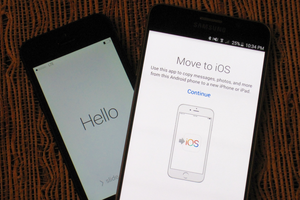
Apple's first Android app makes it relatively painless to transfer you data to an iPhone or iPad.

Friday, September 18, 2015

How iOS 9 fixes HealthKit's woman problem, Find out which iOS app is requesting your Apple ID password

Source From-macworld.com
healthkit ios9 women 3up primary
09.17.2015 3:20 PM
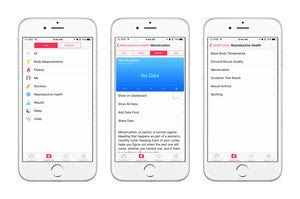
Apple forgot that reproductive health is hugely important to women when it released HealthKit. That's no longer the case.
apple id
09.17.2015 1:00 PM
A reader let a friend manually install an app on his iPhone. Years later, it started asking for a passwordbut which app.


MACWORLD SUPERGUIDES

OS X ON MACWORLD

 
00 intro
09.17.2015 1:30 PM
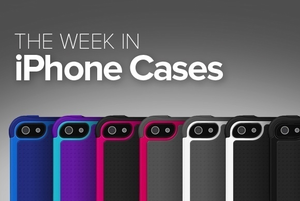
This week's roundup of new iPhone cases shows off ultra-sturdy protection from Ballistic, luxurious options from CalypsoCrystal, a screen protector from PureGear, great new additions from Pad & Quill and WaterField Designs, and awesome picks from Moshi, Miniot, Apple, and Bandolier.
appletv
09.18.2015 3:00 AM
The mere presence of Siri voice search in the new Apple TV is unremarkable. It's the execution that matters.
ios 9 apple news ipad
09.18.2015 3:30 AM
Looking for something to read? Apple is now delivering your daily news.
laptop user
09.18.2015 4:00 AM
You have questions about iTunes 12. Kirk McElhearn has answers.
organizer ios icon
09.18.2015 5:00 AM
Organizer helps keep your iCloud Photo Library tidy by enabling date, time, and location data adjustments not possible with Apple Photos on iOS.
new apple tv
09.18.2015 7:32 AM
Now that Apple has invited developers to the party, expect to see more frequent updates of tvOS and the Apple TV itself.
carplay apple 100248503 large
09.18.2015 9:05 AM
What if Apple's self-driving car is much further along than anyone realizes?
ipad mini 4 primary
09.18.2015 9:17 AM
Apple's tiniest tablet almost matches the iPad Air 2 spec for spec.
peace primary
09.18.2015 10:40 AM
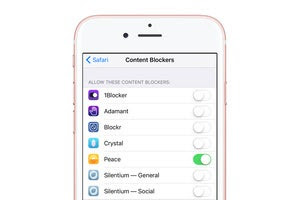
The $3 app used Ghostery's database to allow users to block ads in Mobile Safari, but Arment didn't "feel good" about it after the fact. Here's how to get a refund.
iphone news
09.17.2015 12:18 PM
Access our articles through Apple's new app.